
Daylum for iOS and Android
A mood journal that stays with you.
Log how you feel in seconds, see your patterns over time, and keep every entry in app-private storage. Daylum works fully offline, asks for no account, and collects nothing about you.
Coming to the App Store and Google Play.
Free to download, with no ads, and one optional one-time purchase.
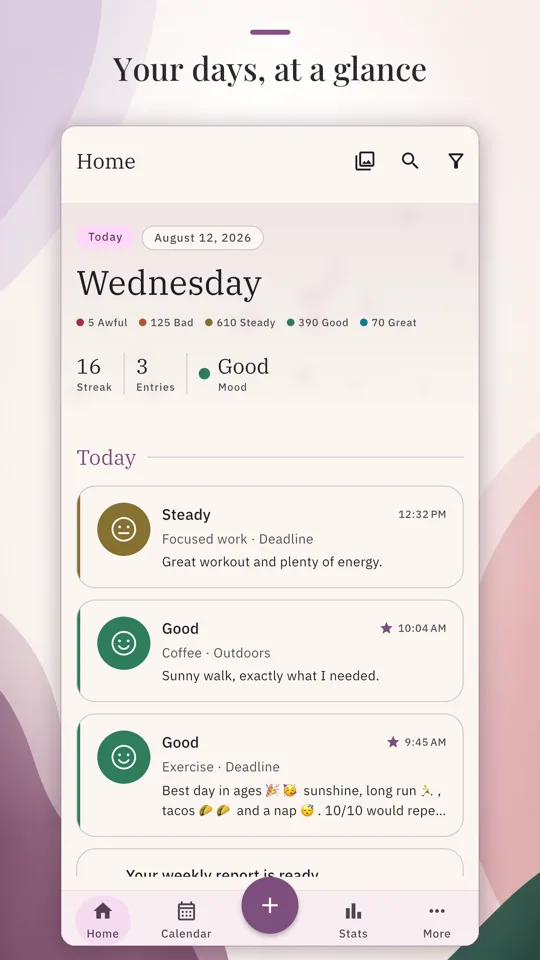
Why Daylum
A journal you can be honest in
The private reflections you write down are the reason the app is built the way it is.
Log it in seconds
Pick a mood, tap the activities that fit, and add a note or a photo if you want one. Log as many times a day as you like, with no cap on the moods and activities you make your own.
Private by design
No account, no login, and no tracking. Daylum needs no network connection to write, read, or search your journal, so it works the same on a plane as it does at home.
Patterns, worked out on your device
Mood trends, activity correlations, streaks, a calendar, and Year in Pixels. Every report and statistics screen is free, and each one is worked out from the journal already on your phone.
Your data leaves when you say so
Export a complete backup and restore from it later, take a basic CSV of your entries, or erase everything from the Data section of Settings. Getting your data out of Daylum is never a paid feature.
Feature tour
From one entry to a year at a glance
Write down how you feel in seconds, then look back at a day, a month, or a whole year.
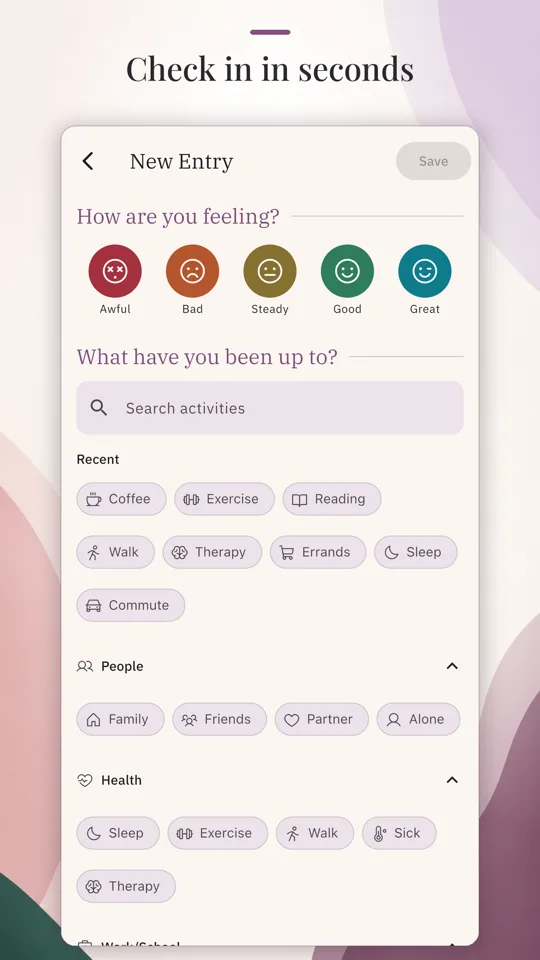
New Entry
Pick a mood from Awful, Bad, Steady, Good, or Great, tap the activities that fit, and add a note or a photo if you want one. That is the whole entry. Rename, recolor, and add your own moods and activities until the list matches your life.
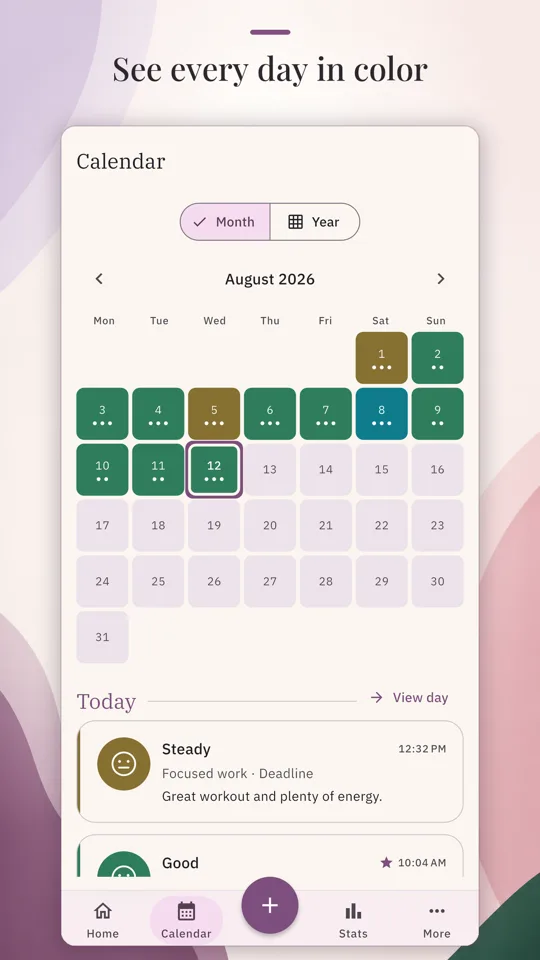
Calendar and Year in Pixels
The month grid colors every day by its mood. Tap a day to see its entries, or open the full day feed. Switch the Month and Year toggle to Year in Pixels for one pixel per day, colored by mood, across the whole year.
Stats
Mood over time, Mood distribution, Frequent activities, Mood by activity, and Streaks, over the last 7, 30, or 90 days or over everything you have logged. Every statistics screen is free, and each one is worked out from the journal already on your phone. More in mood tracking.
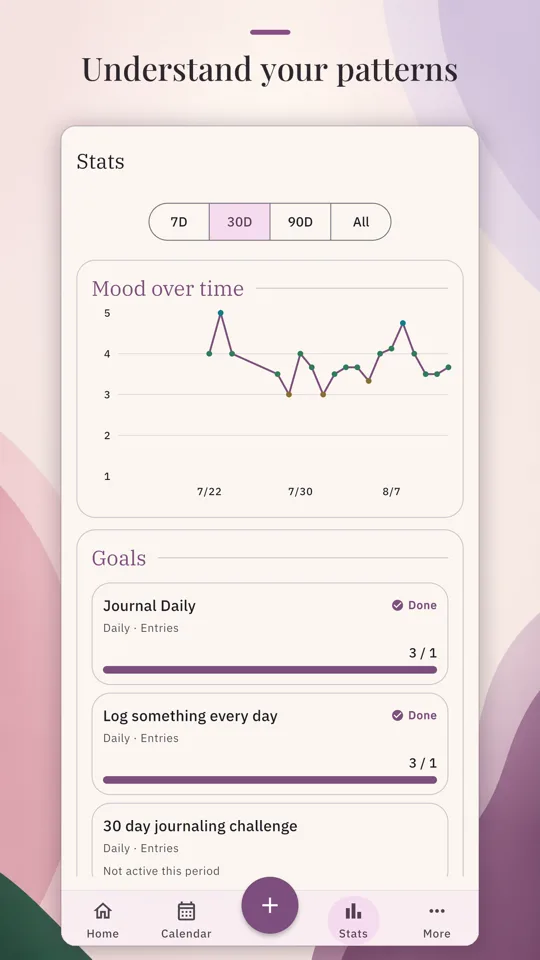
Goals
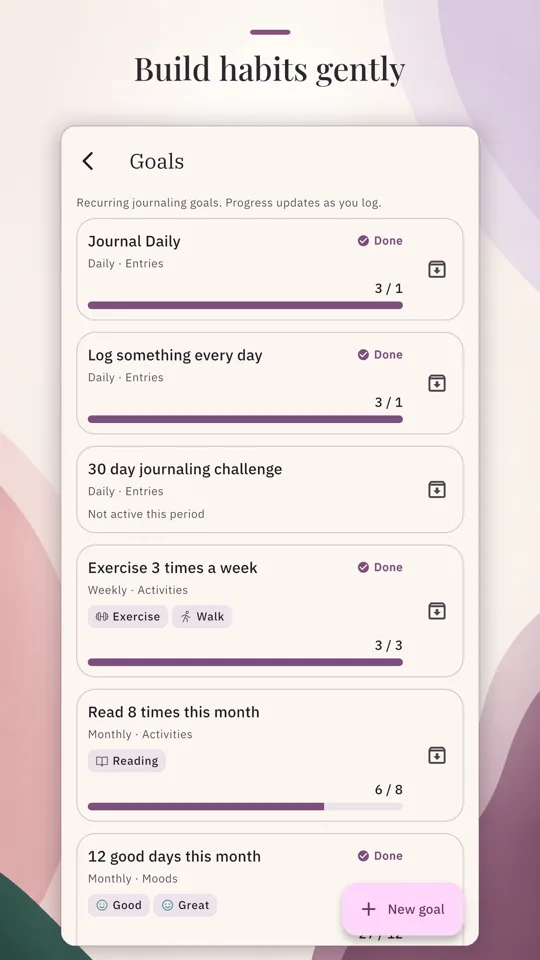
Set a daily, weekly, or monthly goal to build a journaling habit, from journaling every day to reflecting ten times a month. Keep as many goals as you want, with no cap, and watch each one on the Stats screen. More in the goal tracker.
App lock
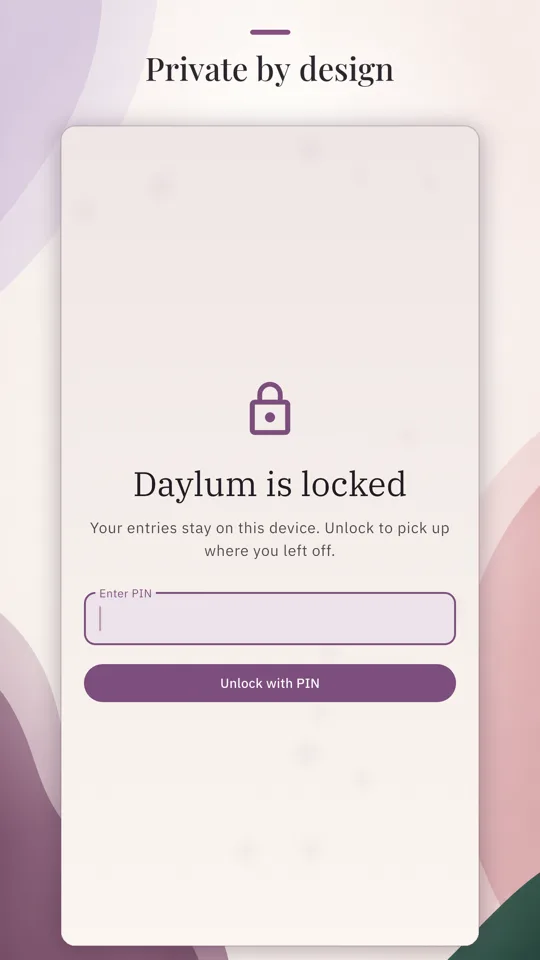
Lock Daylum and require unlocking to reopen it, with a PIN, with Face ID or a fingerprint, or with either. Choose whether it locks immediately or after 30 seconds, a minute, or five minutes. App lock is free.
Export backup and Import backup
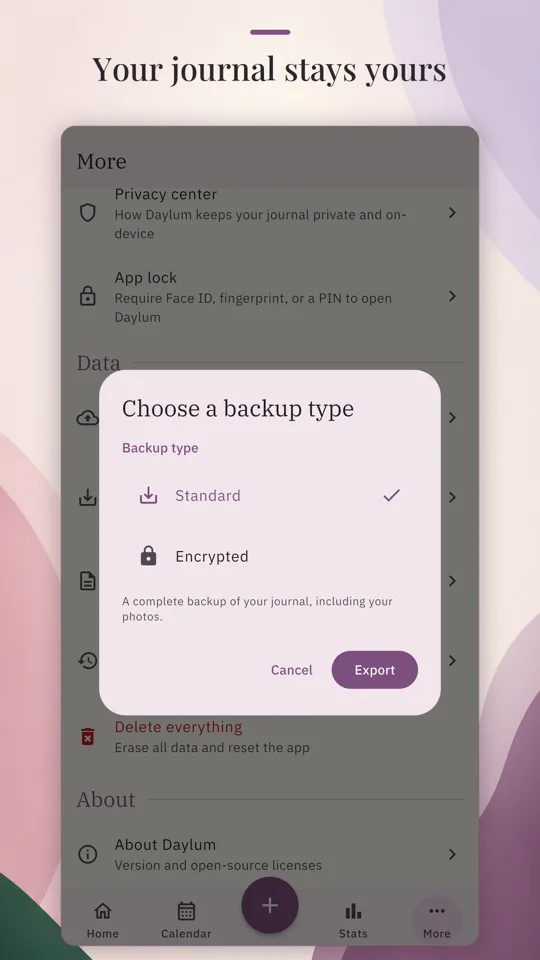
Export backup saves a complete backup of your journal, including your photos. Import backup restores your journal from a Daylum backup file. A basic CSV of your entries is there too, for reading them somewhere else. All three are free.
Free and Plus
Everything essential is free, forever
App lock, reminders, the full backup and re-import, the basic CSV export, every report and statistics screen, and Delete everything are free, and they stay free. Daylum Plus is one optional purchase for polish and convenience extras.
| Feature | Free forever | Daylum Plus |
|---|---|---|
| App lock with PIN and biometric unlock | Included | Nothing extra |
| Full backup and re-import | IncludedExport a complete backup from the Data section of Settings, and restore from it later. | Nothing extra |
| Basic CSV export of your entries | IncludedA plain spreadsheet file, from Export readable copy in Settings. | Nothing extra |
| Reminders, with no cap on how many | Included | Nothing extra |
| Every stats and report screen, and every on-screen insight | IncludedMood trends, mood distribution, activity frequency, mood by activity, streaks, goals, the calendar, and Year in Pixels. | Nothing extra |
| Delete everything | IncludedErases your journal from this device, from the Data section of Settings. | Nothing extra |
| No caps on moods, activities, goals, or important days | Included | Nothing extra |
| Custom note templates | IncludedWrite your own, or start from one of the structures the app ships with. | Nothing extra |
| No ads, no tracking, no login | Included | Nothing extra |
| Mood and activity icons | IncludedThe base curated icon set. | Adds extrasExpanded icon packs and alternate icon weights. |
| Colors and themes | IncludedSix accent palettes, and custom mood and activity colors that hold their contrast. | Adds extrasExpanded color themes and the full custom color picker. |
| Note formatting | IncludedBold, italic, strikethrough, and bulleted and numbered lists. | Adds extrasAdvanced note formatting: headings, checklists, and highlights. A note already written with them always keeps rendering. |
| Report and annual-wrap PDF export | Not includedThe report and recap screens themselves stay free. | Included |
| Polished spreadsheet and readable PDF journal exports | Not includedThe basic CSV export stays free. | Included |
| Automatic device-only backups to a folder you choose | Not includedExport a full backup by hand at any time. | IncludedScheduled to a folder on this device. Nothing is sent to a server. |
| Shareable wrapped annual-recap image cards | Not includedThe recap screen and Year in Pixels stay free. | Included |
| Alternate home-screen app icons | Not includedThe default app icon stays free. | Included |
| Password-protected (encrypted) backup export | Not includedThe plain backup and the re-import stay free, and restoring a protected backup is never gated. | Included |
| Premium app and journal fonts | Not includedThe default typography stays free. | Included |
| Premium report and journal PDF templates | Not included | IncludedLayout and cover styles for the report, wrap, and journal PDFs. |
Daylum Plus
₱299 PHP (about US$4.99)
One-time purchase
One purchase, one unlock, and no recurring charge. No ads and no account, ever. Nothing in the bundle is needed to journal, and your journal stays fully usable without it.
Privacy
A core feature, not a settings checkbox
The same three lines the app shows you on its own privacy screen.
No account, no login
You do not sign up and you do not sign in. Daylum never asks for an email address, a password, or a phone number, and there is no account to create.
Stored only on this device
Your entries, moods, activities, notes, and photos are saved in app-private storage on this device. Your journal is never uploaded to a server or synced to the cloud.
No tracking, no telemetry
There is no analytics, no ad tracking, and no remote telemetry. The app gathers nothing about you and sends nothing off your device.
Questions